
Build Rest API from scratch in Node.js
July 24, 2020
4 min
Observe the below picture for a good 10 seconds.
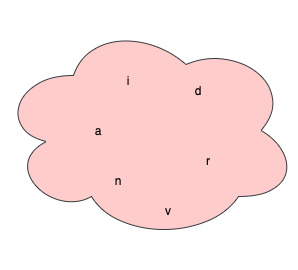
What do you see?
Next game. Now, let’s arrange those characters in such a way that it becomes arvind. What? Yes, you get my name.
Let’s arrange in such a way that it becomes darvin, may be someone else’s name.
Anyway, thanks for playing.
WTF is your point Arvind?
My point is, when you arrange characters in certain way they become more meaninful. When you put together those characters they are also called String in some world. They does not need to be meaningful though. But let’s not fail to define formal definition of String.
Array of characters is called String.
This is how one can create String in Java.
String name = "arvind";
There is another way to create String using new keyword.
String name = new String("arvind");
When working with String, it’s good to know some inbuilt methods and fields that would come handy when wrting code.
String name = "arvind";
System.out.println(name.length()); // Prints => 6
String name = "arvind";
System.out.println(name.charAt(0)); // Prints => a
String name = "arvind";
String fullName = name.concat(" pandey");
System.out.println(fullName);  // Prints => arvind pandey
String name = "arvind";
char[] nameArr = name.toCharArray();  // Converts to char array
String name = "arvind";
System.out.println(name.codePointAt(0));  // Prints => 97
String name = "arvind";
System.out.println(name.contains("a")); // Prints => true
System.out.println(name.contains("b")); // Prints => false
String name = "arvind";
System.out.println(name.toUpperCase());  // Prints => ARVIND
String name = "Arvind Pandey";
System.out.println(name.toLowerCase()); // Prints => arvind pandey
There is huge list of other important methods inside String class. I leave it to you to explore further.
Hope you liked this tutorial. You might also like other tutorials in this series here
Quick Links
Legal Stuff